TinyCore Board Teaches Core Microcontroller Concepts

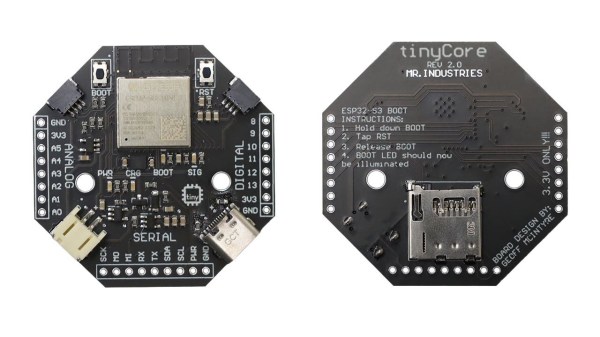
Looking for an educational microcontroller board to get you or a loved one into electronics? Consider the tinyCore – a small and nifty octagon-shaped ESP32 board by [MR. INDUSTRIES], simplified for learning yet featureful enough to offer plenty of growth, and fully open.

The tinyCore board’s octagonal shape makes it more flexible for building wearables than the vaguely rectangular boards we’re used to, and it’s got a good few onboard gadgets. Apart from already expected WiFi, BLE, and GPIOs, you get battery management, a 6DoF IMU (LSM6DSOX) in the center of the board, a micro SD card slot for all your data needs, and two QWIIC connectors. As such, you could easily turn it into, say, a smartwatch, a motion-sensitive tracker, or a controller for a small robot – there’s even a few sample projects for you to try.

You can buy one, or assemble a few yourself thanks to the open-source-ness – and, to us, the biggest factor is the [MR.INDUSTRIES] community, with documentation, examples, and people learning with this board and sharing what they make. Want a device with a big display that similarly wields a library of examples and a community? Perhaps check out the Cheap Yellow Display hacks!

Continue reading “TinyCore Board Teaches Core Microcontroller Concepts”
Super Simple Deadbuggable Bluetooth Chip

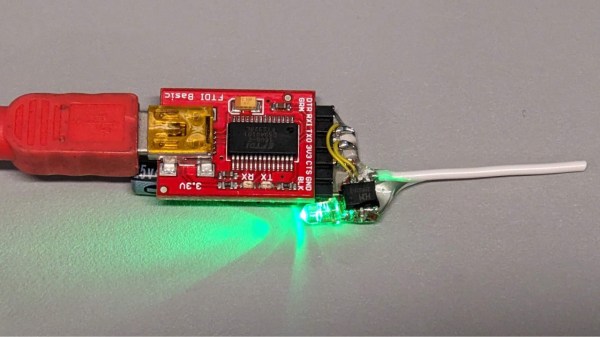
We’re all used to Bluetooth chips coming in QFN and BGA formats, at a minimum of 30-40 pins, sometimes even a hundred. What about ten pins, with 1.27 mm pitch? [deqing] from Hackaday.io shows us a chip from WCH, CH571K, in what’s essentially a SO-10 package (ESSOP10). This chip has a RISC-V core, requires only three components to run, and can work Bluetooth through a simple wire antenna.

This chip is a RISC-V MCU with a Bluetooth peripheral built in, and comes from the CH57x family of WCH chips that resemble the nRF series we’re all used to. You get a fair few peripherals: UART, SPI, and ADC, and of course, Bluetooth 4 with Low Energy support to communicate with a smart device of your choice. For extra hacker cred, [deqing] deadbugs it, gluing all components and a 2.54 mm header for FTDI comms onto the chip, and shows us a demo using webBluetooth to toggle an LED through a button in the browser.

You need not be afraid of SDKs with this one. There’s Arduino IDE support (currently done through a fork of arduino_core_ch32) and a fair few external tools, including at least two programming tools, one official and one third-party. The chip is under a dollar on LCSC, even less if you buy multiple, so it’s worth throwing a few into your shopping cart. What could you do with it once received? Well, you could retrofit your smoke alarms with Bluetooth, create your own tire pressure monitors, or just build a smartphone-connected business card!

A dynamic light box for F1 events, built like the F1 logo.

F1 Light Box Helps You Know The Current Race Status

[joppedc] wrote in to let us know that the Formula 1® season is coming to an end, and that the final race should be bangin’. To get ready, he built this ultra-sleek logo light box last week that does more than just sit there looking good, although it does that pretty well. This light box reacts to live race events, flashing yellow for safety cars, red for red flags, and green for, well, green flags.

Continue reading “F1 Light Box Helps You Know The Current Race Status”

Standalone USB-PD Stack For All Your Sink Needs

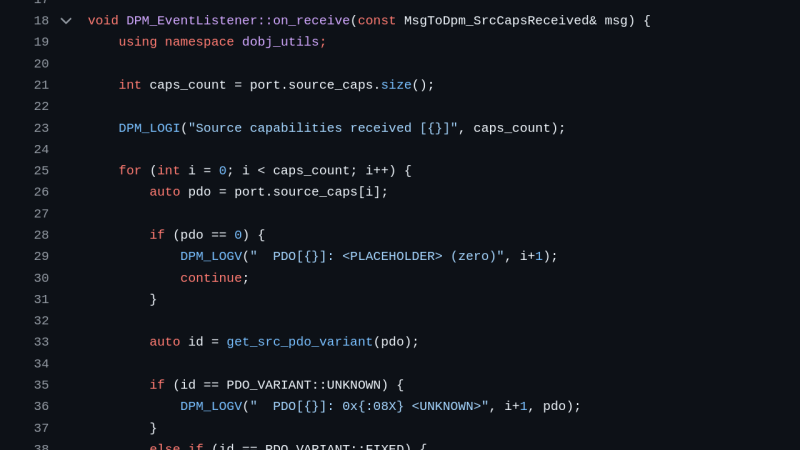
USB PD is a fun protocol to explore, but it can be a bit complex to fully implement. It makes sense we’re seeing new stacks pop up all the time, and today’s stack is a cool one as far as code reusability goes. [Vitaly] over on Hackaday.io brings us pdsink – a C++ based PD stack with no platform dependencies, and fully-featured sink capabilities.

Continue reading “Standalone USB-PD Stack For All Your Sink Needs”

[Piers] explains his code

A Deep Dive Into Using PIO And DMA On The RP2350

Here’s a fun rabbit hole to run down if you don’t already have the RP2040/RP2350 PIO feather in your cap: how to serve data without CPU intervention using PIO and DMA on the RP2350.

If you don’t know much about the RP2040 or RP2350 here’s the basic run down: the original Raspberry Pi Pico was released in 2021 with the RP2040 at its heart, with the RP2350 making its debut in 2024 with the Pico 2. Both microcontrollers include a feature known as Programmed I/O (PIO), which lets you configure tiny state machines and other facilities (shift registers, scratch registers, FIFO buffers, etc) to process simple I/O logic, freeing up the CPU to do other tasks.

The bottom line is that you can write very simple programs to do very fast and efficient I/O and these programs can run separately to the other code running on your micro. In the video below, [piers] explains how it works and how he’s used it in his One ROM project.

This is the latest installment from [piers rocks] whose One ROM project we’ve been tracking since July this year when we first heard about it. Since then we’ve been watching this project grow up and we were there when it was only implemented on the STM32F4, when it was renamed to One ROM, and when it got its USB stack. Along the way [piers rocks] was on FLOSS Weekly Episode 850: One ROM To Rule Them All too.

Have you seen PIO being put to good use in other projects? Let us know in the comments, or on the tips line!

Continue reading “A Deep Dive Into Using PIO And DMA On The RP2350”

A circuit sculpture designed to help you sleep.

Sweet Sound Sculpture Helps You Sleep Soundly

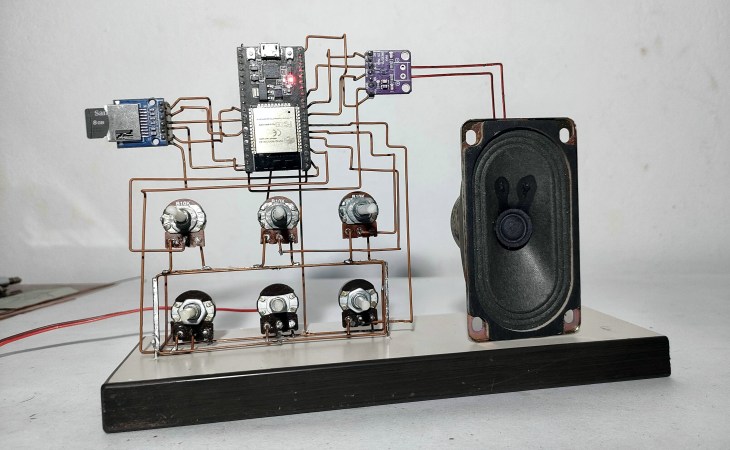
Have trouble sleeping, or getting to sleep in the first place? You’ve no doubt heard of white noise machines, but know it would be much cooler to make your own. Enter Noise Maker, a DIY sound sculpture by [optimus103733], who wanted to learn something in the process of creating.

The best thing about this sound sculpture aside from the looks is that you can not only play five different sounds (e.g. birds, traffic, water, frog, white noise), you can mix them together into a rich but relaxing cacophony.

As you can probably see from the picture, Noise Maker is based on the ESP32 and uses an SD card module, an amplifier, and five six pots. Be sure to check out the pictures, because there are three layers of copper connections and a lot of careful bending to make it all come together. In the video after the break, you can hear it in action.

It seems [optimus103733] isn’t completely satisfied and wants to make a few improvements in the future, such as a voltage regulator, a power switch, and a timer to automatically stop playback once (we assume) sleep has come. Evidently the ESP32 struggles a little with mixing six audio sources, but hey, lesson learned.

Wait, why do we sleep in the first place?

Continue reading “Sweet Sound Sculpture Helps You Sleep Soundly”

Wear This RISC V, RPN Calculator Watch For Maximum Nerd Cred

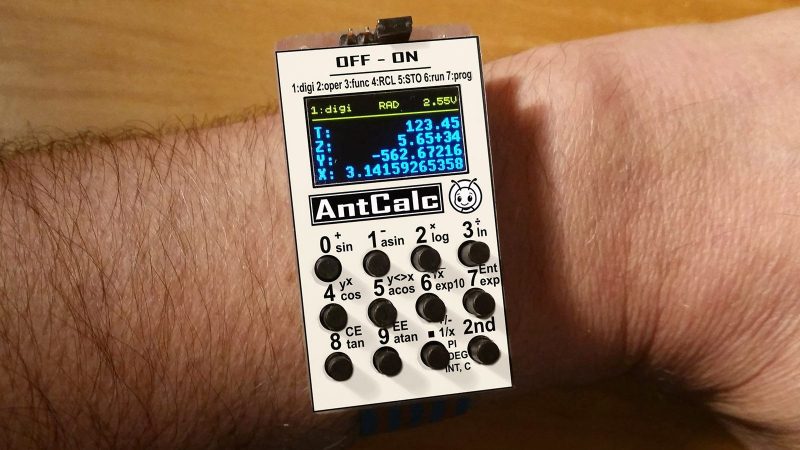
Once upon a time, owning a calculator watch was the epitome of cool. Well, for a very specific subset of the population with our own definition of “cool” anyway. The only thing cooler than wearing a calculator watch? Making a calculator watch, of course! If you do it as part of developing your own SDK for a popular RISC V microcontroller, all the better. That’s what [Miroslav Nemecek] did with his Antcalc watch, which is one of the demo projects for the CH32Lib SDK, which is currently under development at version 0.35 as this is written.

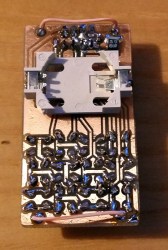
It appears as though the solid core wire on the back of the homemade PCB is used to hold the watch band, a nice little hack.

As you might guess, CH32LibSDK is targeting the super-cheap CH32 series of RISC V microcontrollers. Perhaps because the SDK is so early in development, there’s not much documentation outside of the example projects. The examples are all worth looking at, but our tipster wanted us to cover the Antcalc calculator watch specifically.

The Antcalc watch uses the SOP16-packaged CH32V002A4M6 to drive a small OLED display while taking input in Reverse Polish Notation from a dozen small buttons. We’re not sure how the cool kids feel about RPN these days, but that’s got to be worth extra nerd cred. Using a RISC V chip doesn’t hurt in that department, either.

For something so small– 30 mm x 55 mm–it’s looks like a decent little calculator, with 10 registers holding a mantissa of 21 digits and exponents up-to +/-99 in binary coded decimal. Seven layers on the dozen-key input pad mean most of the scientific functions you could ask for are available, along with the ability to record and replay upto 10 macros. There are also ten memory slots, all of which go into the chip’s onboard flash so are non-volatile during a battery swap. (Of which many will be necessary, since this appears to run on a single coin cell.)

If you get bored of wrist-mounted calculating, you could always repurpose this microcontroller to play MOD files on your wrist. Some people couldn’t imagine ever getting bored by a wrist-mounted calculator, and just for them we have this teardown of a beautiful 1975 model and a this article on the history of the calculator watch.

Thanks to [James Bowman] for the tip.