Iteration3D Is Parametric Python In The Cloud

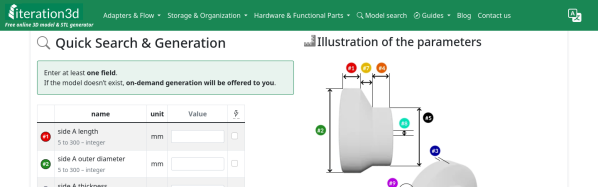
It’s happened to all of us: you find the perfect model for your needs — a bracket, a box, a cable clip, but it only comes in STL, and doesn’t quite fit. That problem will never happen if you’re using Iteration3D to get your models, because every single thing on the site is fully-parametric, thanks to an open-source toolchain leveraging 123Dbuilds and Blender.

Blender gives you preview renderings, including colors where the models are set up for multi-material printing. Build123D is the CAD behind the curtain — if you haven’t heard of it, think OpenSCAD but in Python, but with chamfers and fillets. It actually leverages the same OpenCascade that’s behind everyone’s other favorite open-source CAD suite, FreeCAD. Anything you can do in FreeCAD, you can do in Build123D, but with code. Except you don’t need to learn the code if the model is on Iteration3D; you just set the parameters and push a button to get an STL of your exact specifications.
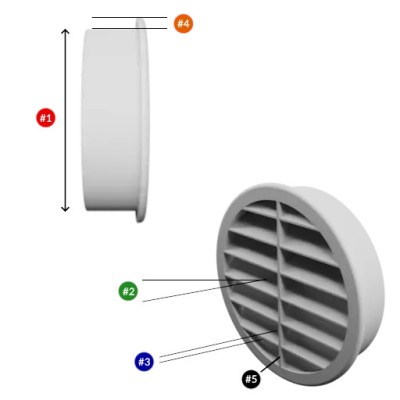
The downside is that, as of now, you are limited to the hard-coded templates provided by Iteration3D. You can modify their parameters to get the configuration and dimensions you need, but not the pythonic Build123D script that generates them. Nor can you currently upload your own models to be shared and parametrically altered, like Thingiverse had with their OpenSCAD-based customizer. That said, we were told that user-uploads are in the pipeline, which is great news and may well turn Iteration3D into our new favorite.

Right now, if you’re looking for a box or a pipe hanger or a bracket, plugging your numbers into Iteration3D’s model generator is going to be a lot faster than rolling your own, weather that rolling be done in OpenSCAD, FreeCAD, or one of those bits of software people insist on paying for. There’s a good variety of templates — 18 so far — so it’s worth checking out. Iteration3D is still new, having started in early 2025, so we will watch their career with great interest.

Going back to the problem in the introduction, if Iteration3D doesn’t have what you need and you still have an STL you need to change the dimensions of, we can help you with that. 

Thanks to [Sylvain] for the tip!
Your Supercomputer Arrives In The Cloud

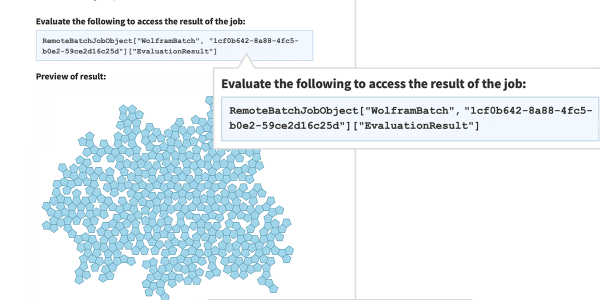
For as long as there have been supercomputers, people like us have seen the announcements and said, “Boy! I’d love to get some time on that computer.” But now that most of us have computers and phones that greatly outpace a Cray 2, what are we doing with them? Of course, a supercomputer today is still bigger than your PC by a long shot, and if you actually have a use case for one, [Stephen Wolfram] shows you how you can easily scale up your processing by borrowing resources from the Wolfram Compute Services. It isn’t free, but you pay with Wolfram service credits, which are not terribly expensive, especially compared to buying a supercomputer.

[Stephen] says he has about 200 cores of local processing at his house, and he still sometimes has programs that run overnight. If your program already uses a Wolfram language and uses parallelism — something easy to do with that toolbox — you can simply submit a remote batch job.

Continue reading “Your Supercomputer Arrives In The Cloud”

Production KiCad Template Covers All Your Bases

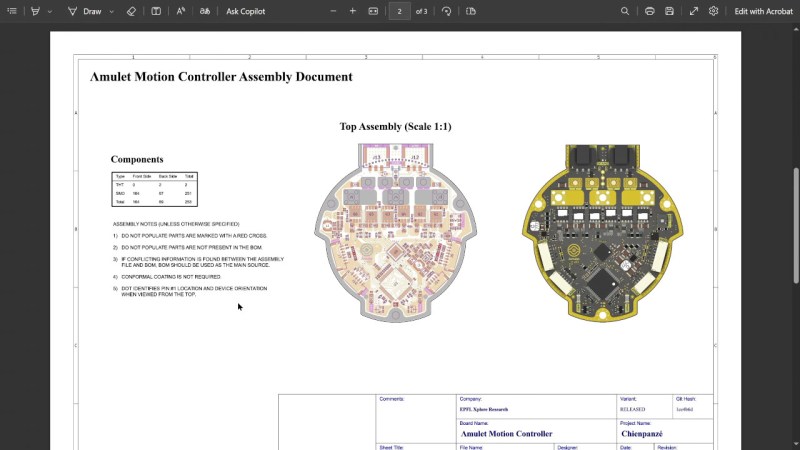
Ever think about all the moving parts involving a big KiCad project going into production? You need to provide manufacturer documentation, assembly instructions and renders for them to reference, every output file they could want, and all of it has to always stay up to date. [Vincent Nguyen] has a software pipeline to create all the files and documentation you could ever want upon release – with an extensive installation and usage guide, helping you turn your KiCad projects truly production-grade.

This KiBot-based project template has no shortage of features. It generates assembly documents with custom processing for a number of production scenarios like DNPs, stackup and drill tables, fab notes, it adds features like table of contents and 3D renders into KiCad-produced documents as compared to KiCad’s spartan defaults, and it autogenerates all the outputs you could want – from Gerbers, .step and BOM files, to ERC/DRC reports and visual diffs.

This pipeline is Github-tailored, but it can also be run locally, and it works wonderfully for those moments when you need to release a PCB into the wild, while making sure that the least amount of things possible can go wrong during production. With all the features, it might take a bit to get used to. Don’t need fully-featured, just some GitHub page images? Use this simple plugin to auto-add render images in your KiCad repositories, then.

Continue reading “Production KiCad Template Covers All Your Bases”

How Big Is Your Video Again? Square Vs Rectangular Pixels

[Alexwlchan] noticed something funny. He knew that not putting a size for a video embedded in a web page would cause his page to jump around after the video loaded. So he put the right numbers in. But with some videos, the page would still refresh its layout. He learned that not all video sizes are equal and not all pixels are square.

For a variety of reasons, some videos have pixels that are rectangular, and it is up to your software to take this into account. For example, when he put one of the suspect videos into QuickTime Player, it showed the resolution was 1920×1080 (1350×1080). That’s the non-square pixel.

Continue reading “How Big Is Your Video Again? Square Vs Rectangular Pixels”

Standalone USB-PD Stack For All Your Sink Needs

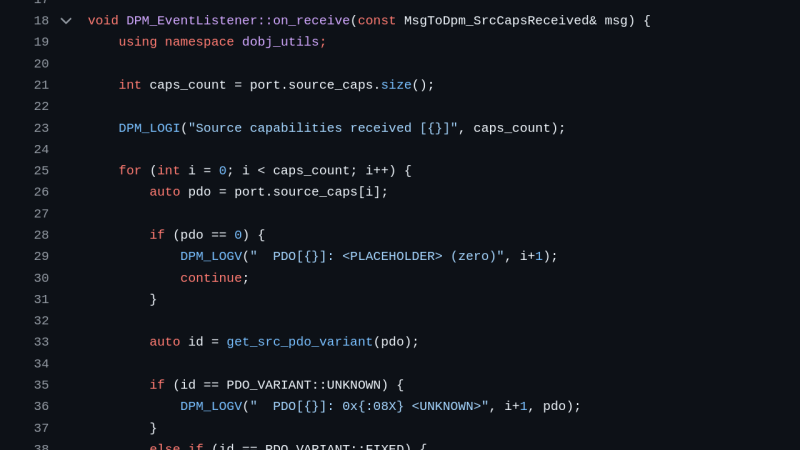
USB PD is a fun protocol to explore, but it can be a bit complex to fully implement. It makes sense we’re seeing new stacks pop up all the time, and today’s stack is a cool one as far as code reusability goes. [Vitaly] over on Hackaday.io brings us pdsink – a C++ based PD stack with no platform dependencies, and fully-featured sink capabilities.

Continue reading “Standalone USB-PD Stack For All Your Sink Needs”

Mac System 7 On A G4? Why Not!

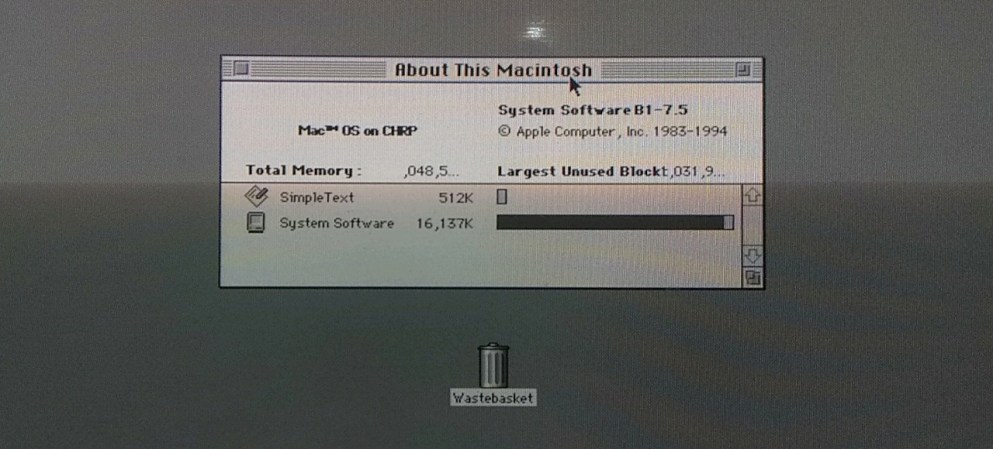
Over the many years Apple Computer have been in operation, they have made a success of nearly-seamlessly transitioning multiple times between both operating systems and their underlying architecture. There have been many overlapping versions, but there’s always a point at which a certain OS won’t run on newer hardware. Now [Jubadub] has pushed one of those a little further than Apple intended, by persuading classic Mac System 7 to run on a G4.

System 7 was the OS your Mac would have run some time in the mid ’90s, whether it was a later 68000 machine or a first-gen PowerMac. In its day it gave Windows 3.x and even 95 a run for their money, but it relied on an older Mac ROM architecture than the one found on a G4. The hack here lies in leaked ROMS, hidden backwards compatibility, and an unreleased but preserved System 7 version originally designed for the ’90s Mac clone programme axed by Steve Jobs.  It’s not perfect, but they achieved the impossible.

As to why, it seems there’s a significant amount of software that needs 7 to run, something mirrored in the non-Mac retrocomputing world. Even this hack isn’t the most surprising System 7 one we’ve seen recently, as an example someone even made a version for x86 machines.


Thumbnail Image Art: Apple PowerMac G4 by baku13, CC BY-SA 3.0

New Browser-based CAD System Is Best Friends With Triangle Meshes

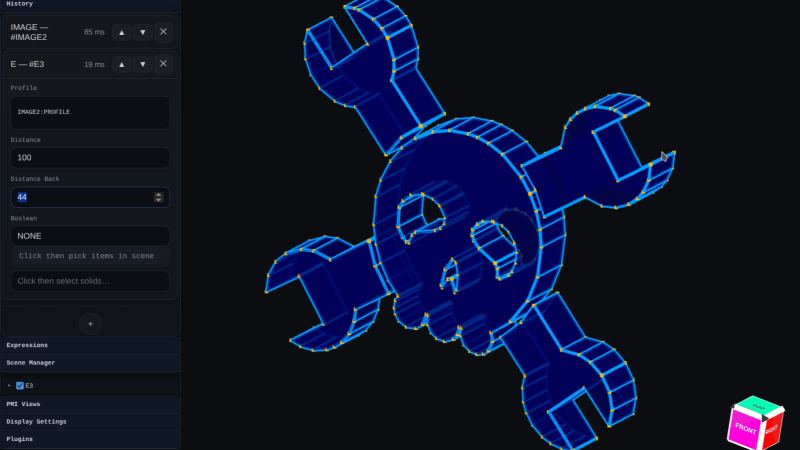
Who’s interested in a brand new, from-scratch boundary representation (BREP) kernel? How about one that has no topological naming problem, a web-native parametric CAD front end to play with, and has CAD-type operations making friends with triangle meshes? If you’re intrigued, check out [mmiscool]’s BREP project.

Functioning (let alone feature-filled, or efficient) CAD systems are not a software project we see a whole lot of. Ones that represent models as genuine BREP structures but cleverly use mesh-based operations where it makes sense? Even less so.

In theory, CAD programs are simple: allow a user to define features, keep track of what they are and how they relate to one another, and perform operations on them as requested. In practice, it’s significant work. Chains of operations and dependencies easily become complex, volatile things and there is really no room for error.

Read [Arya Voronova]’s best practices for using FreeCAD to get a few hints as to what goes on behind the scenes in a modern CAD program, and the kinds of challenges the back end has to deal with, like the topological naming problem (TNP). A problem [mmiscool]’s implementation completely avoids, by the way.

There is a live demo at BREP.io which acts as a playground for the state of the project. You can get started by clicking the + button towards the top on the left panel to add features and operations to the history (like add a cube, then add chamfers or fillets, or extrude a face, and so on).

[mmiscool] points out that all computation is done client-side; even complex operations like fillets, lofts, and multi-body booleans execute directly in the browser with no need to be offloaded to a back end. BREP’s development is being documented on Hackaday.io and there is a video embedded below that gives an overview. Why don’t you give it a spin?

Continue reading “New Browser-based CAD System Is Best Friends With Triangle Meshes”