Nebula Connect
3.5star
2.44K reviewsinfo
500K+
Downloads

USK: All ages
info

About this app
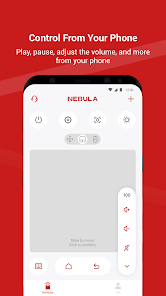
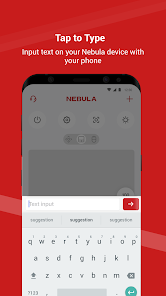
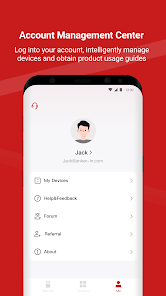
Nebula Connect works together with your Nebula smart projectors. It can seamlessly control your projector with the touchpad, virtual keyboard, and functional buttons. No worries if you forget bringing the remote control, everything can be on the go with the Nebula Connect!
Feel free to contact us at support@seenebula.com if you need help.
Feel free to contact us at support@seenebula.com if you need help.
Updated on
Safety starts with understanding how developers collect and share your data. Data privacy and security practices may vary based on your use, region, and age. The developer provided this information and may update it over time.


Ratings and reviews
3.5
2.35K reviews

Elie Deeba
- Flag inappropriate
October 16, 2025
Not sure what's happened, but the keyboard on the app no longer pops up and the text field is inaccessible. Tried uninstalling and reinstalling. maybe a new bug? the best thing about the app was the keyboard and now?? practically useless
2 people found this review helpful

Jerry Zhao
- Flag inappropriate
December 7, 2025
UI does not allow microphone input, cannot even use the search bar because the text input bar isn't reachable in 3 button mode. You can only access them in gestures mode.
1 person found this review helpful

Olorogun Mrakpor Efe JP
- Flag inappropriate
November 28, 2025
this product is amazing I have the capsule, however I think the operating system need to be more flexible as some time you find it difficult to search some sites. when the environment is not dark enough picture quality is poor over all it's a wonderful devise for indoor cinima
What’s new
1. Added support for new models.
2. Fixed some known bugs.
2. Fixed some known bugs.
App support
About the developer
Power Mobile Life, LLC
y-dev@anker.com
400 108th Ave NE Ste 400 Bellevue, WA 98004 United States
+86 185 8481 7420


