Recent Discussions

Data Pulling
I'm trying to figure out the best way to pull data together from multiple tabs within an excel file. The file is made so that it can track issues within reports that are discovered. I'll try to break it down the best I can to explain what I have and what I'm trying to do. Within the file there are 5 tabs that are considered locations and they are named: LX, LV, CR, HR, FL Each tab is set up the same way with the only real important information in these columns of a table Column A - PCR Date Column C - PCR Owner Column G, I, K, M - Modification Category (1-4) these fields are actually drop down options from the Category Master List Within the file there is a 6th tab that has at able in it that is called Category Master List. Column A - Options for the dropdown in the above tab Modification Category columns Column B - Breakdown into one of three main categories (Billing, Compliance, Quality) Now this is what I'm trying to do: Fiscal Year Data (September 2025-August 2026) - I need to see how many times each of the dropdown options within the Master List show up in column G, I, K, M for each of the 5 location tabs. Monthly Data - I need to see how many times each of the dropdown options within the Master List show up in column G, I, K, M for each of the 5 location tabs along with how many times there is an entry with a date within that month. I would like to try and figure out how to put everything into one data table/chart type thing so it's easier to see and compare. Currently, everything needed is across a few different pivot tables and I would really like the data to pull itself automatically instead of me having to go in and copy all the data from one spot into another just to get the pivot results. Below is what I'm having to look at currently.5Views0likes0Comments
PTO Accruals
Hello I have a PTO tracker that I would like to auto calculate PTO accrual based on hire date. Example, on year 5 from hire date PTO accrual goes from 5.54 per pay period to 7.08 per pay period. I would like for my employees to be able to enter their hire date at the beginning of the year and the PTO tracker to be able to reference functions automatically to adjust accrual after they hit their 5 and 10 year milestones.7Views0likes0Comments
Pivot Table Setting Won't Appear
This is Excel 365, the online version. When I create a pivot table the field table pane pops up so I can select what columns I want. When I go to "show settings" for the pivot table they don't show up and then cause the field table pane to also not show up. This happens on all my documents, new and old, multiple devices and web browsers. I've used the pivot table settings on other documents but on Wednesday 11/19/2025 is just stopped working. I didn't change any of my settings. This seems to be a Microsoft glitch but their tech support's only solution to me was to use the desktop version but the point of me using the online version is so that everyone in my Organization can use these shared docs. I'm having a ton of other issues with Microsoft but this one is preventing me from being able to the basic tasks of my job.176Views1like3Comments
IFS Formula Help
Hello, I have been struggling with a formula and I'm hoping for some insight. I am using it to separate employees and their information to another worksheet based on which school they work for. Their school assignment is notated by either their school name column (K), school code column (AL), or both. This is the formula: =IFS(K2="SCHOOL NAME",XLOOKUP(B2,B:B,E2,""),AL2="SCHOOL CODE",XLOOKUP(B2,B:B,E2,"")) I am trying to use an IFS statement to pull data from one sheet to another if the value meets at least 1 of 2 conditions. The formula seems to stop at the first value, even if the second value is true. That is, if an employee doesn't have a certain school name in column K but has the corresponding school code in column AL, their information is not pulling to the new worksheet. How I would like the formula to work: -Jane Doe has "X Elementary" in column K, then her information from the XLOOKUP will populate into the cell. (The spreadsheet has a lot of information, and I only need a few columns to pull to the new worksheet.) -If not, the formula will continue to search in column AL for the school code. -If the specific school code is found, then her information from the XLOOKUP will populate into the cell. If nothing matches the criteria, then a blank value will be returned. Thank you in advance!Solved39Views0likes2Commentspulling changing number of rows into another sheet, where you have categories in rows
i have a template document for which data can be populated. categories of information are populated both in columns and rows, meaning within a column you can also have categorisation of data. I want to be able to pull data from sheet1 into sheet2 were the rows in sheet2 will adapt depending on sheet1 and no space will be shown between the rows categories.29Views0likes1CommentOffice 365 - how do I fix a duplicate problem
I had Office 365 for my home office throuogh Go Daddy. I closed the business and cancelled GoDaddy - no more Office 365 So I signed up for Office 365 Personal and paid the yearly fee. Now I can't use Word because they have loaded all my ols business data and when I try to uses Word it says I need to sign up - when I already did Total frustration for the last 3 months trying to figure it out. Can anyone help? email address removed for privacy reasons19Views0likes1Comment
Microsoft Form
I have a query regarding Microsoft Form: For an example: I'm running a school, where 500+ students are enrolled. To collect some details, we request each & every student to fill the MS Form. My concern in MS Form: There is a branching field in MS Form, if the student is new joined, then he/she has to fill the entire form manually. If the student is an existing student, then he/she has to enter the unique ID from the drop-down field, and the rest fields will automatically pop-up or field with the responses. Once the student confirms that he/she is an existing student option, then they will get an option with the list of drop-down where they have to select their unique ID, and the moment they select the unique ID the remaining fields should automatically capture/display or pop-up the basic details which has been submitted earlier when they were the new joined. I would like to know will it be possible to achieve the above via any means of source, such as React, Python, SPFx, web developing, Power-Automate, Power App or anything. Thank you!27Views0likes2CommentsTesting the MCP Server for Enterprise
The MCP Server for Enterprise is one of a set of preview servers released by Microsoft to show how MCP servers can help Microsoft 365 tenants get real work done. I’m sure things will improve, but the current state of the preview is that it can do a splendid job to answer simple questions, but once things get more complex, don’t depend on any of the PowerShell code the server generates. https://office365itpros.com/2025/12/11/mcp-server-for-enterprise/10Views0likes0Comments
Drop-Down List + IF function
Is it possible to have a drop-down list of cities that once chosen, the sales tax use in % will populate in a separate cell and that cell will multiply to another cell (subtotal) to create a grand total based on the cities chosen on the drop-down list. Many thanks!Solved1.8KViews0likes7CommentsLong Date Format Text Wrapping
I need my dates to be in the long date format: Monday, December 8, 2025 However, I also want that text to wrap. I do not want an really wide column for that date. I would like it to wrap at whatever point it wrap at when I adjust the column width. Simply choosing "wrap text" in the alignment section does not work. Any column width shorter than the amount of space needed for the entire date turns the date in that cell to pound signs. Heck, I'd be happy if I could even just shorten the column width and see only the beginning of the date. Though I would prefer it just adjusting like it does in every other column. I have tried work arounds like a custom date format where you force the second line to be part of the date - which it will do but the column width still must be as long as if it were in one long line or it still goes to pound signs. Is there a workaround that I can't find? Is this something that Microsoft could work on fixing in an upcoming app update? Because I have been suffering through this problem for years and would love for it to be fixed. (Also - I do not want to change the column to "text" - I want to be able to type in 12/9 and have it automatically change to Tuesday, December 9, 2025 for me. I am often changing dates or inserting dates and need it to be dynamic and not manually entered each time. (Thus the whole point of having the date format to begin with.)19Views0likes1CommentCan't Login to Authenticator App
I am unable to login to my Microsoft 365 Business account, because I'm unable to login to my Authenticator App. I am also the only administrator on my business account, so no one in my organization can help me. Microsoft online support and phone support just keep sending me in circles. The only way I see to create a support ticket is to login, but my issue is that I can't login. Help, please!Word glitching table headers to look like wingdings
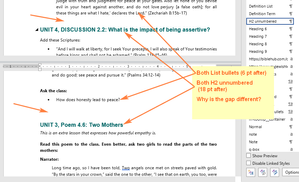
Hi, we've had one user report that our table header text occasionally glitches to look like corrupted wingdings: I cannot replicate this issue and don't fully know at what stage of document creation it happened but will update with any extra info they provide. Any help would be appreciated!4Views0likes0Comments
Compare or search one data table in another table in Excel
Hi, We have two data tables in Excel that have a foreign key (a common field with the same data type). We want to search for the existence of data from the first table in the second table and identify if there are any inconsistencies in this comparison of the two tables. It should also display the found data separately. What method do you suggest? tnx24Views0likes1CommentInitializing TextBoxes within a UserForm
My spreadsheet contains a macro which utilizes two UserForms, each containing several TextBoxes. I want to initialize several TextBoxes in each Userform. One UserForm works and the other one does not, even though I have set the code up identically in each one. Here is what I have detected: When you step through the macro code (F8), when the first UserForm.Show statement is executed, the control skips to the first line of code for the UserForm and when the second UserForm.Show is executed, the control skips to the first TextBox on the Object. Here is a sample of the code I am using: Private Sub UserForm1() TextBox1.Value = "ABCDE" End Sub I have been writing macros like this for over 30 years, but this is the first time I have run into this situation. Any help here will be greatly appreciated. Al49Views0likes3CommentsWord printing a random blank page before printing the document (booklet)
Ok I have a printing issue on a document (handbook), which is an 11x17 booklet. It has started printing a blank page before printing the actual handbook and we can't seem to locate the issue. Even if I try to print to a PDF, it first prints a blank page that must be saved as a separate document, then a second document which is the handbook. It does the same thing when we print to the printer. I have even created a new blank document, copied the content over to the new document and it still does the same thing. I have also tried saving to other versions, etc. No luck locating the issue on my end so far. I have attached a link to it to see if anyone else wants to take a moment to open it and print to see if they get the same issue or can find my issue. https://we.tl/t-aiOMkEGD5u5.3KViews0likes7Comments



Events
Recent Blogs
- This new opt-in feature delivers a more polished, welcoming, and intuitive experience on Mac.Dec 10, 2025392Views0likes0Comments
- Many of you shared that the previous commenting experience felt outdated. We’ve listened and introduced a cleaner, more modern design!Dec 09, 2025409Views1like1Comment