security
5276 TopicsSecurity Review for Microsoft Edge version 143
We have reviewed the new settings in Microsoft Edge version 143 and determined that there are no additional security settings that require enforcement. The Microsoft Edge version 139 security baseline continues to be our recommended configuration which can be downloaded from the Microsoft Security Compliance Toolkit. Microsoft Edge version 143 introduced 3 new Computer and User settings; we have included a spreadsheet listing the new settings to make it easier for you to find. As a friendly reminder, all available settings for Microsoft Edge are documented here, and all available settings for Microsoft Edge Update are documented here. Please continue to give us feedback through the Security Baselines Discussion site or this post.
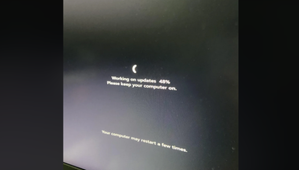
Windows 11 22H2 Upgrade from Windows 10 – Stuck at 48%
Trying to upgrade to Windows 11 22H2 keeps getting stuck at 48%. Tried so far: All Updates/Clean Boot/DISM/SFC/Chkdsk-F Saw this as an option. Has anyone tried it? If updates continually get stuck due to drivers, open Command Prompt as administrator and run: rundll32.exe pnpclean.dll,RunDLL_PnpClean /DRIVERS /MAXCLEAN Dell E6540 Latitude Windows 10 22H2 Processor Intel(R) Core(TM) i7-4800MQ CPU @ 2.70GHz, 2701 Mhz, 4 Core(s), 8 Logical Processor(s) 16GB Ram10Views0likes0Comments
AzureAd\xxxx user as local admin seems not to be dynamic
Hello. I am not sure if this is the correct place. The question is: I have an account protection that enables a Azure groupX as local admin in w11. I have a AzureAd\userX than belongs to the groupX in Entra Id. That works fine. But If I remove the AzureAd\userX from de Entra id groupX (and close the local session) the userX still have admin permission. The opposite is the same. Nothing changes unitl I remove the local profile in the w11 for AzureAd\userX. It seems something remain in the profile and w11 is not capable for reading dynamically Entra id groups. It is a rare behaviour. The problem is that in my company this is in production now and the workaround for some users that are moving to another department have issues with the userX (wich act as admin, instead the ordinary user they logon interactively) Any idea? Thank in advance. Regards13Views0likes1Comment
Disk transfer speed deterioration since installing Windows 11
I am not sure whether this question belongs in Windows 11 or PC hardware, it seems to be hardware but the change in O/S has introduced the issue. If an admin wants to move this into a more appropriate forum please feel free to do so. Amongst other devices on my home network I have a home-built desktop PC with multiple disk drives and a Synology NAS. I recently gave the PC a heart and brain transplant but retained all my disk drives, and at the same time replaced Windows 10 with Windows 11 Pro. Since then although everything – Windows and apps – seems to be functioning fine, I have noticed two odd things relating to disk transfer speeds. Both versions of the PC had an SSD drive as the primary C drive, and the following 3 SATA drives: D: Seagate Constellation ES.3 3TB (7200 rpm) E: Western Digital WD Black 6TB (7200 rpm) G: Western Digital WD Red 6TB (5400 rpm) The old PC could copy data from any of these disks to the NAS at 110MB/s. That’s what I would expect on a gigabit network, and it’s what I got. But the new PC can only copy data to the NAS at 55MB/s. So far as I know nothing has changed in the system other than the version of Windows and the motherboard (was an ASUS Z-390 ROG-STRIX, now an ASUS Z-890F ROG-STRIX). But for some reason the data transfer across the network has halved – just from this PC, not from other machines. I am sure the problem has nothing to do with the NAS or the network, which have not been altered in any way, nor the disk drives themselves, which have not been changed – the rebuild only replaced the contents of the (SSD) C drive. But there is something fishy about the HDD performance, because this brings me to the second observation. I never bothered noting any transfer speeds between the disks in the Win 10 incarnation, because all copying just ran at a more or less constant rate and I never had any concerns about performance. But in the Win 11 version I have been seeing very erratic behaviours, slow downs and pauses. As a test I created a data file of 5GB and copied it between all the disks. I renamed the file each time to try to avoid caching (although I don’t know for sure that this would prevent it, or if it would be a problem if I hadn’t). My experience tells me that the rate and elapsed time of all of these transfers would have been consistent in the Win 10 environment.46Views0likes3CommentsKB5066853 keeps failing installation
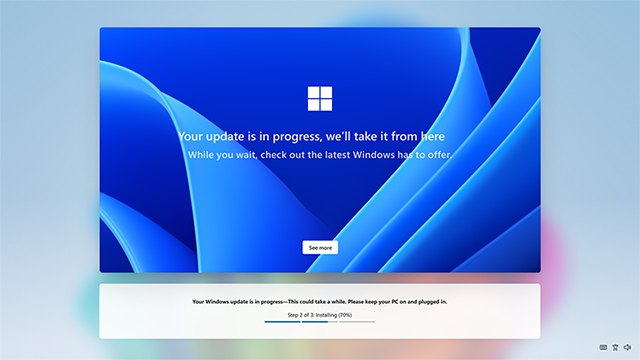
We have Windows 11, version 24H2, build 26100.4652. We have a continuing error on installing KB5066835. I have tried some of the solutions as sfc /scannow and dism repair but that did not fix the issue. Hope someone can help me. If further information is needed, please let me know57Views0likes1CommentWindows 11...if it didn't suck. What should I do?
Ever wondered how Windows 11 could look with a modern, consistent design? I’ve created a video where I showcase my vision for a seamless Windows 11, using some of the best community-made concepts to illustrate the possibilities. Check it out on my YouTube channel Rayen74 if you’re interested! What features would you like to see in a redesigned Windows 11?17Views0likes1Comment