

Most of CNET’s top picks for external hard drives and solid-state drives work across most common devices, including Windows PCs, Macs and gaming consoles, though you may need to format the drive for your specific system.
Our Picks







Note that the Sony PS5 lets you store and play PS4 games from an external drive, but not PS5 games. Microsoft's Xbox Series X can store Series X games on an external hard drive, but you must transfer them to internal storage before playing them. Both consoles let you expand internal storage. The Xbox Series X uses a proprietary Seagate-made storage expansion card while the PS5 uses a more standard M.2 SSD. All these drives have been used and anecdotally tested by CNET editors.
Best external drives of 2025
Pros
- Lightweight, rugged design
- Relatively affordable
- Fast enough transfer speeds unless you're dealing with very large files
- IP65 water- and dust-resistant with 3-meter drop protection
Cons
- Doesn't offer ultrafast transfer speeds
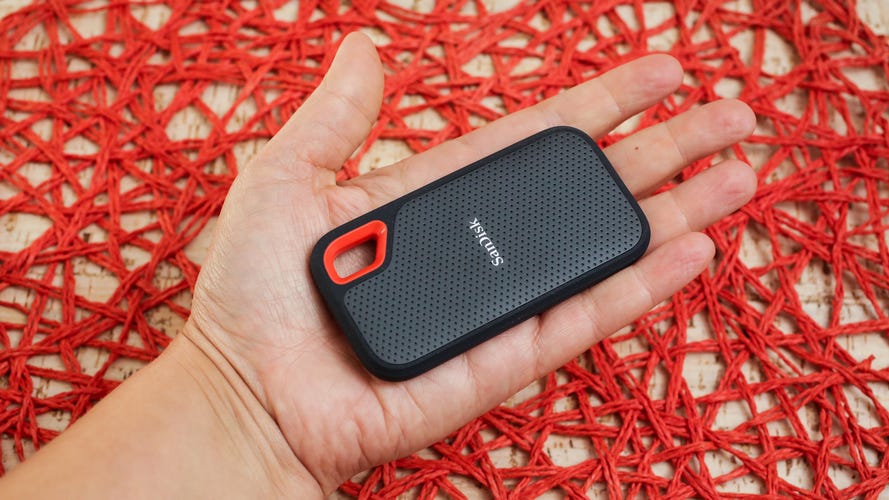
Western Digital, which owns SanDisk, sells its WD My Passport SSD as well as this SanDisk Extreme Portable SSD for basically the same price. I like the design of this model a little better, and it's technically ruggedized with an IP65 rating, meaning it can withstand a sustained spray of water and is dust- and shock-resistant with 3-meter drop protection (the previous model had an IP55 rating, so this one is slightly more durable).
The latest version offers speeds up to 1,050Mbps (just over 1GB per second) and is right around $100 for the 1TB version. While step-up models like the SanDisk Extreme Pro offer faster read/write speeds with the right computer, that may be overkill unless you regularly work with very large files.
Your speed will vary if you're moving a mishmash of files to or from the USB drive, but when copying a single large file, you should be able to get close to that top transfer speed.
Who's it for
Those looking for a lightweight SSD that offers decently fast transfer speeds for a relatively affordable price.
Pros
- Ruggedized design with removable bumper case
- IP54 splash-proof and dust-resistant
- Rated for 3-meter drop protection
- Very speedy performance
- Made out of 30% recycled materials
Cons
- Gasket that covers USB-C port isn't attached to bumper, making it easier to lose when you remove it
- Slightly more expensive than the Corsair EX400U, which features similar specs and MagSafe
LaCie made a name for itself with its drop-resistant, ruggedized external hard drives that were favored by many videographers and video editors, including CNET's. As folks have shifted from mechanical drives to solid-state drives, LaCie brought out a Mini SSD line with the company's signature orange bumper case (it's removable). It's not fully waterproof, but its IP54 rating means the drive is splash-proof and dust-resistant. And while a lot of today's portable SSDs are water and dust-resistant, that thick bumper case gives you a little added peace of mind. Also, the USB-C port is covered by a detachable gasket (my only design gripe is that I'd like to see the gasket attached to the bumper, which would help prevent you from losing it). This model offers ultrafast 4,000MB/s read speeds (3,800MB/s write) with USB 40Gbps (it's not being marketed as a USB4 drive, but it supports USB4 along with Thunderbolt 5, Thunderbolt 4 and Thunderbolt 3).
If you're looking for blazing-fast performance in an even more rugged model, LaCie makes the SSD Pro5, which is equipped with Thunderbolt 5 technology and delivers read/write speeds of up to 6,700MB/s and 5,300MB/s. Additionally, it has an IP68 rating, which means it's fully waterproof. But SSD Pro5 starts at $400 for 2TB and is overkill for most people unless you're working with a lot of 8K/6K video.
Who's it for
Creative professionals looking for a high-performance drive with ultrafast transfer speeds for photography and video editing, who have the hardware to support its maximum transfer speeds.
Pros
- Ultrafast read/write speeds
- Rugged design with IP65 rating (dust-proof and splash-proof)
- Backward compatible with USB 3.2 and USB 2.0 devices
Cons
- Fairly pricey
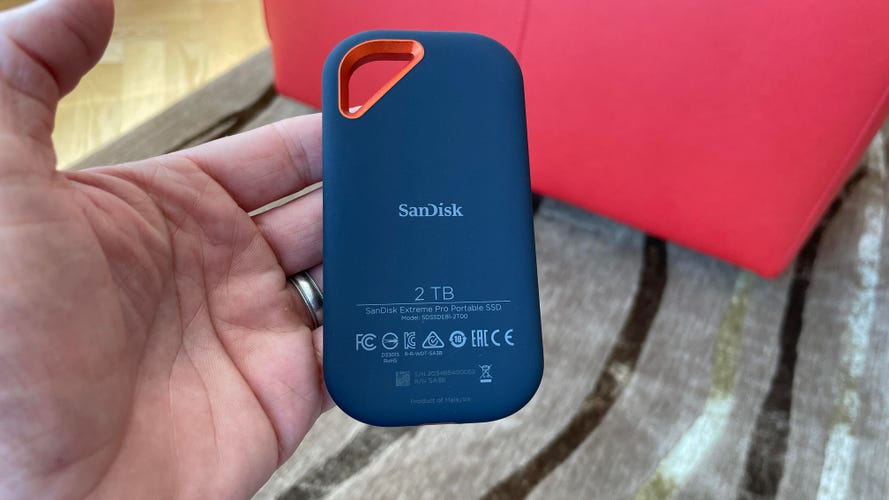
SanDisk's Extreme Pro line has been gradually bumping up its performance over the years. While this Extreme Pro Portable SSD with USB4 may not offer quite the transfer speeds of LaCie's SSD Pro5, it does deliver read/write speeds of up to 3,800MB/s/3,700MB/s and is more affordable than the LaCie. As its name implies, the SanDisk supports USB4 and Thunderbolt 4 (40 Gbps), but is also backward compatible with USB 3.2 and USB 2.0 devices.
Like a lot of portable SSDs it's somewhat ruggedized with an IP65 rating that allows it to withstand a sustained spray of water, and SanDisk says it can survive falls up to 2 meters. It's worth noting that the drive, while compact compared to a portable mechanical drive, is considerably larger and heavier than SanDisk's entry-level Extreme Portable SSD (2TB), which weighs about 52 grams or about 120 grams less than the 2TB version of Extreme Pro Portable SSD with USB4.
Who's it for
Creative professionals looking for a high-performance drive with ultrafast transfer speeds for photography and video editing, who have the hardware to support its maximum transfer speeds.
Pros
- Plug-and-play storage expansion for Xbox One X
- Good performance
- Price has come down
Cons
- Still a little pricey
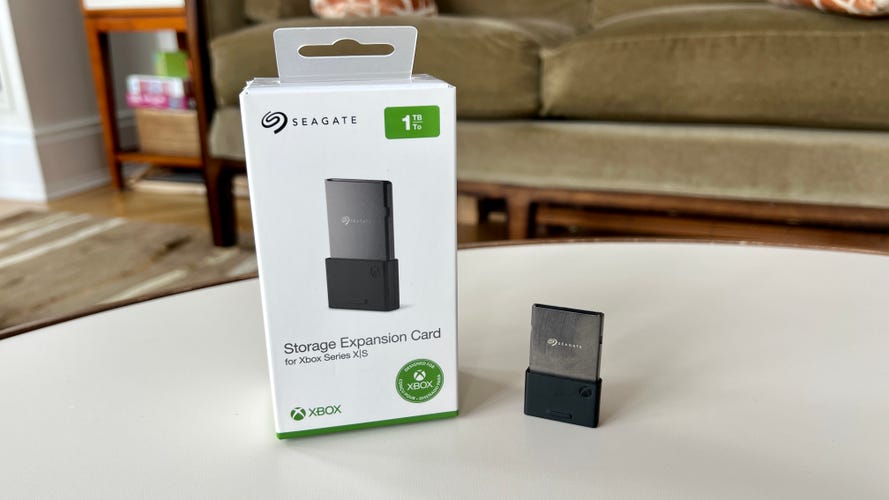
For better or worse, there's currently only one way to expand the storage on your Xbox Series X/S for next-gen Series X/S games: the Seagate Expansion Card. Similar to the storage situation with the PS5, you can plug in any external SSD or hard drive to expand the storage for standard Xbox games (previous-gen), but you can store only native Xbox Series X/S games on the game console's internal memory or the Seagate Expansion Card.
It plugs into a proprietary slot on the back of the Xbox Series X/S and "replicates the Xbox Velocity Architecture" (Microsoft's internal NVMe SSD tech) with peak speeds of up to 2.4GBps of raw I/O throughput. Microsoft says that's more than 40x the throughput of the Xbox One.
Who's it for
Xbox Series X/S owners who want to expand their storage to store more Xbox Series X/S games on their console.
Pros
- Fast, solid-state drive
- Upgrades your PS5 storage (allows play of PS5 games from the drive)
- Straightforward to install
- Price has come down some
Cons
- Not as easy to install as an external drive
You can expand storage for PS4 games on your PS5 by adding a standard external SSD. Unfortunately that not the case for PS5 games, which take up a ton of space and can be played only from the PS5's internal drive or an M.2 SSD that you install in a special expansion bay inside your PS5. Our favorite M.2 drive is the Lexar NM790.
While the Lexar NM790 technically isn't an external SSD, it's not so different from Seagate's Storage Expansion Card for the Xbox Series X/S in that it's an NVMe SSD with very high transfer speeds (up to 7,400MB/s read and 6,500MB/s write speeds, according to Lexar).
Several other M.2 SSDs will work with the PS5 (see our complete list) but ideally, you want one with an integrated heatsink. Otherwise, you'll have to add one.
The Lexar 2TB NM790 with heatsink starts around $70 for the 1TB version and jumps to roughly $154 for the 2TB version (most popular). Meanwhile, the 4TB sells for around $235.
Who it's for
PS5 owners who want to expand their storage to store more PS5 games on their console.
Pros
- Lightweight and compact
- Fast transfer speeds
- Good value
- Includes protective rubber sleeve
Cons
- Fairly plain design
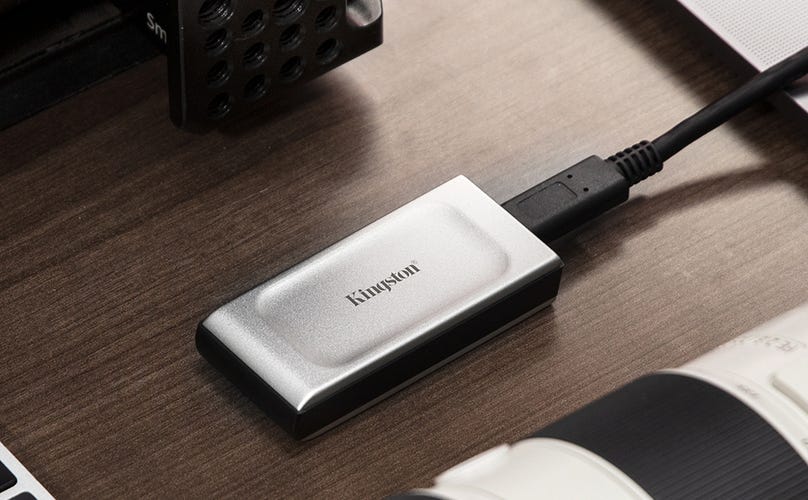
As its name implies, Kingston's XS2000 is capable of speeds up to 2,000MB/s. Like the WD Black P40 Game Drive and SanDisk Extreme Pro, it's geared toward more recent Windows PCs equipped with USB 3.2 Gen2x2 dual-lane architecture that allows for a theoretical 20Gbps data transfer rate. It can also be used with consoles and Macs. (Note that the XS2000 is silver, while its predecessor is black).
Its design is a little more plain than some SSDs on this list, but the XS2000 is compact (it's about half the size of a harmonica), lightweight and comes with a rubber sleeve that's supposed to make the device water-, shock- and dust-resistant, although it doesn't have an IP rating. It's a decent value at roughly $89 for the 1TB model.
Who it's for
Those looking for a SSD with double the transfer speeds of an entry-level SSD for a good price.
Pros
- Lightweight
- MagSafe-enabled so it adheres to the back of your iPhone or Android phone (stick-on ring included for Android users)
- Supports video capture in Apple ProRes 4K at 60fps
- Also compatible with Windows and macOS devices
- IP65 dust-resistant and splash-proof.
Cons
- Not as fast transfer speeds compared to higher-performance SSDs that don't cost too much more
SanDisk and others have been making phone-centric external SSDs for a while, including USB-C and Lightning thumb drives. But SanDisk's Creator Phone SSD brings MagSafe into the mix, so the drive adheres magnetically to the back of your iPhone or MagSafe-enabled case (the drive also works with Android devices and comes with a metal ring you adhere to the back of your Android smartphone to make it MagSafe compatible). The drive supports video capture in Apple ProRes 4K at 60fps, and you can save video directly to the drive for easy transfer to a computer for editing. With exFAT formatting out of the box, it's also compatible with Windows and macOS devices and is IP65 dust-resistant and splash-proof.
While it doesn't boast ultrafast transfer speeds (up to 1050 MB/s), I found its performance to be zippy enough. I quickly copied video files from my phone to the drive using the San Disk memory Zone app and had no problem capturing 4K video to the drive. The drive does draw a bit of power from your phone, and I thought the magnet could be a little stronger, but otherwise, I liked how it stuck to the back of my phone. While the cord does stick out from the bottom of your phone, it's less cumbersome than a thumb drive. Lexar's compact Professional Go drive offers similar performance, but doesn't have the MagSafe element and costs slightly more (it sticks out from the bottom of your phone).
Who it's for
Content creators who use their phones to shoot a lot of video and those who simply want a storage device to back up their phones.
Pros
- High-capacity drive
- Rugged design
- Good price for 5TB version
- Also compatibles with Playstation consoles and PCs
Cons
- Slower than SSDs
- Only archives Xbox Series X and S games (can't store full games)
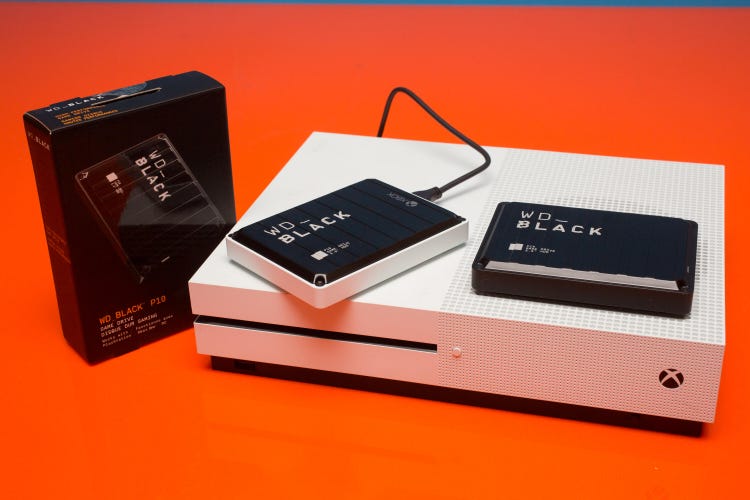
If you're looking for a high-capacity external drive for your Xbox One, the WD Black P10 2TB portable hard drive is a good value at around $80 (the 6TB version is about $160). It gives you portable storage for your coveted game collection. This external drive also comes with a digital code that gives you one month of Microsoft's Game Pass Ultimate if you're a new subscriber. There's also a standard version of the portable hard drive, which also works with PCs and the PS4 for slightly less (it's missing the Xbox branding but is otherwise the same drive). The portable drive can deliver speeds up to 130MBps.
Who it's for
Those looking to offload their collection of older Xbox games and make them playable from an external drive.
Pros
- High-capacity drive
- Rugged design
- Good price for 5TB version
Cons
- Slower than SSDs
- Stores PS4 games, but not PS5 games
While this drive works with both the PS4 and PS5, it can only store PS4 games if you're using it with a PS5 (you can play PS4 games without lag directly from the portable hard drive). The 5TB version is $148.
Who it's for
Those looking to offload their collection of older PS4 games and make them playable from an external drive.
Pros
- Rugged design
- Ultrafast transfer speeds
- Fairly affordable
Cons
- Some users in the past have complained about reliability issues
SanDisk makes the Extreme Portable SSD (see above) that delivers speeds up to 1,050MB per second transfer rates. If you're a photographer or videographer looking for an even faster SSD drive for your PC or Mac, the Extreme Pro Portable SSD is a good option. This version delivers up to 2,000MB/s (2GB/s) read/write speeds when paired with the right equipment. To get the maximum speed, you need a host system that supports USB Gen 3.2 Gen 2x2 speeds.
Compatible with Macs and Windows PCs, it's technically ruggedized with an IP65 rating, meaning it can withstand a sustained spray of water and is dust-resistant. It's also shock-resistant (3-meter drop protection) and is equipped with a forged aluminum chassis that acts as a heatsink. It has a USB-C interface and includes both USB-C-to-USB-C and USB-A-to-USB-C cables. The 1TB version is around $130, while the 2TB has dipped to around $220.
Note: Some users previously encountered reliability issues with this drive and even had files mysteriously erased. SanDisk has acknowledged some firmware problems with certain drives and upgraded the firmware to resolve the issues.
Who it's for
Those looking for a SSD with double the transfer speeds of an entry-level SSD for a reasonable price.
Pros
- Superfast transfer speeds
- Plays well with Macs (but works with Windows PCs)
- Designed to reduce heat
- Durable
Cons
- Pricey
- No protective case included
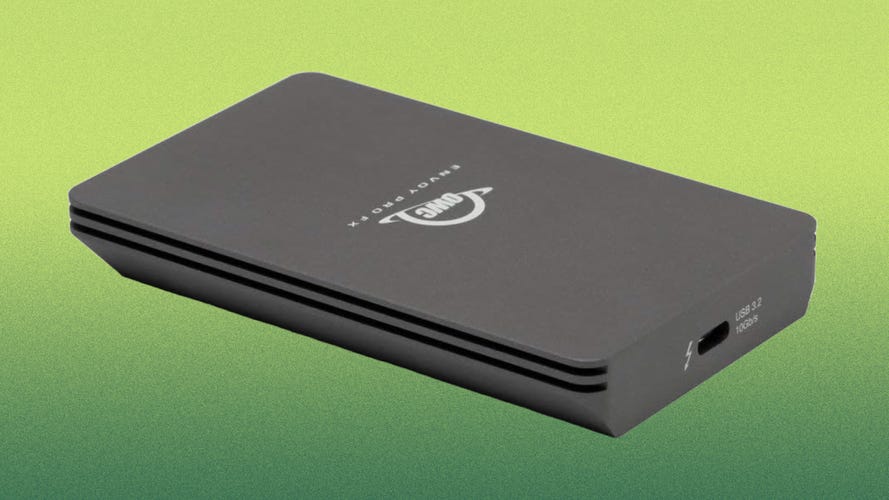
SanDisk's flagship Pro-G40 SSD starts at around $180 for a 1TB drive, while the 1TB version of Other World Computing's Envoy Pro FX goes for $280. Both offer top-end speeds (the Envoy Pro FX gets up to a 2,800MB/s transfer speed while the Pro-G40 tops out slightly higher at up to 3,000MB/s). While the drive will work just fine with Windows and Linux computers, OWC has long catered to the Mac market, and this external SSD certainly plays well with Macs.
Yes, it costs more than the Pro-G40, but it seems very well built (it's IP67 waterproof) with an aluminum chassis that does a good job dissipating heat (it didn't heat up too much in my tests). Alas, it doesn't come with some sort of carrying case, but it's an impressive drive if you can afford it and are looking for ultrafast transfer speed.
Who it's for
Mac users looking for a high-performance drive that's well built and does a good job of dissipating heat.
Pros
- High-capacity drive
- Incorporates 30% recycled plastic
- Highly compatible
Cons
- Pricier than other 4TB and 5TB mechanical drives
Yes, even drive makers like Seagate are starting to incorporate recycled materials into their products. The Ultra Touch comes in 4TB and 5TB storage capacities (we tried the 5TB) and aside from the eco angle, it's a pretty standard mechanical drive that features USB-C connectivity (yes, it's compatible with a variety of devices, including Macs, Windows machines and Chromebooks). It weighs in at 267g or 0.589 pounds.
Who it's for
Those looking for a high-capacity drive at an affordable price.
Pros
- Very high-capacity drive
- Good price for a lot of storage
Cons
- Much slower transfer speeds than SSDs
- Large size
- Comes with USB-A cable (adapter or separate cable required for USB-C connectivity).
WD Elements and My Book desktop drives are available in up to 26TB configurations. These drives have been around for a while and are geared toward people who need a lot of storage but don't want to pay a ransom to get it. They offer very similar performance, with a 5Gb/s micro-USB 3.2 Gen 1 interface (also known as USB 3.1 Gen 1 or 3.0) and are backward compatible with USB 2.0. But the Elements drives don't come with automatic backup software and hardware encryption. The My Book is billed as a "backup and restore" drive, while the slightly less expensive Elements drive is billed as "plug-and-play" storage. Both come formatted for Windows PCs but can be reformatted for use with Macs. To be clear, these are mechanical drives that offer relatively sluggish transfer speeds (up to 130MB/s) compared with SSDs, and are all about sheer capacity at an affordable price.
Who it's for
Those looking for a very high-capacity drive at an affordable price.
Factors to consider when choosing an external storage drive
Budget
Before anything else, you'll want to figure out how much you're willing to spend on a new hard drive. Compact solid-state drives that use flash memory are pricier than slower and bigger mechanical drives, but they have gone down in price over the last couple of years. Today, you can get a 1TB external SSD with entry-level transfer speeds for as little as $65 or so. Very high-capacity SSDs tend to be quite pricey, so if you're looking for a lot of storage for not too much money, you'll likely have to opt for a mechanical drive.
Capacity
External drives start at 500GB and go all the way up to 22TB or so. For a lot of people, especially if you're looking at a faster SSD, the storage sweet spot is 1TB or 2TB. If you need more than that, you'll likely be deciding between spending a lot on a 4TB SSD or opting for a more affordable but slower 4TB or 5TB mechanical drive.
Data transfer speed
Solid state drives are delivering faster and faster data transfer speeds, with drives using Thunderbolt 5 technology delivering read/write speeds of up to 6,700MB/s and 5,300MB/s. SSDs that offer the fastest speeds are also quite pricey. You'll have to decide just what kind of performance you want and need based on your use case and the PC you have (to get the fastest transfer speed you need a computer with the latest USB technology). Unless you regularly transfer massive video files, you probably don't need a "pro" level storage device. Note that even the slowest SSDs tend to be about five times as fast as a traditional mechanical drive.
Compatibility
Most external drives are compatible with a wide variety of computers, including Macs, Windows PCs and Chromebooks. Things get more complicated when you get into the realm of game consoles. To store PS5 or Xbox Series X or S games, you'll need to purchase a drive specifically for that task. You can use most external drives to store and play PS4 games or standard Xbox One games (off the drive), but you'll need to install an internal drive to store and play PS5 games. Xbox Series X and S machines require you to buy either the WD Black C50 expansion card or Seagate Storage expansion card to store and play Xbox Series X or S games.
Security
Some of you may be storing sensitive data on your external storage drive. If that's the case, look for drives that include security features, including encryption.
How we test external drives
We test external drives based on three key criteria, comparing similarly styled and priced models. These criteria are design, performance and value.
- Design: We assess not only the size and weight of the drive (portability factors) but its overall build quality and durability, including water-, shock- and dust resistance.
- Performance: We evaluate read/write performance by transferring 50GB of files to and from both a PC and a Mac computer multiple times. We also evaluate how much a drive heats up.
- Value: We compare drives with similar performance specs against each other and assess how good a value they are based on their price for the same capacity drive.
External storage FAQs
How do I set up a hard drive?
Many drives are plug-and-play, but you may have to format a drive for your particular operating system. Some drives come with their own software utilities to set up the drive for whatever operating system you're using.
What interface do external drives use?
Most of today's drives use USB-C interfaces and often come with a USB-C-to-USB-A adapter that allows you to connect the drive to older USB-A ports. To get maximum speeds, you'll need to connect the drive via USB-C.
What USB-C technology do you need to get the fastest speeds?
USB-C connectors have four metal pins that are used to transfer data. They are sometimes referred to as "lanes." USB 3.2 Gen 1 (5Gbps) and USB 3.2 Gen 2 (10Gbps) use one TX lane to transmit data and one RX lane to receive data. Most of the latest computers offer at least those speeds, and more computers are getting USB 3.2 Gen 2x2, which offers up to two lanes of 10 Gbps operation for a theoretical 20Gbps data transfer rate.
USB4 and Thunderbolt ports (Macs use Thunderbolt) allow you to transfer data as well as video and audio. That means you can connect both external drives and displays. Thunderbolt/USB4 offers up to a 40Gbps theoretical data transfer rate. Thunderbolt 3 and Thunderbolt 4 ports look and act like USB-C ports and support USB-C connectivity. A computer with standard USB-C ports does not support Thunderbolt devices.
Thunderbolt 5 technology delivers even faster transfer speeds, and we've seen see Thunderbolt 5 drives that deliver read/write speeds of up to 6,700MB/s and 5,300MB/s.
Do I need a special USB-C cable for an external drive?
To get the fastest speeds, you typically need a compatible USB-C cable (the drive should come with the right cable to maximize data transfer rates). A Thunderbolt-compatible cable is required for computers equipped with Thunderbolt ports to achieve a maximum data transfer speed. Thunderbolt 3 and Thunderbolt 4 ports look like USB-C ports and use a cable that looks like a USB-C cable but has a Thunderbolt insignia on it. Earlier Thunderbolt and Thunderbolt 2 ports used their own type of connector (the port also accommodates a Mini DisplayPort cable for connecting to monitors). You can buy an adapter that converts a Thunderbolt 2 cable to Thunderbolt 3 and 4. There are also USB-C to Mini DisplayPort cables.
USB types and theoretical burst transfer speeds.
