Best VPN extension for Microsoft Edge: Private, secure, and easy
Enhance your privacy with ExpressVPN extension for Microsoft Edge on Windows, Mac, and Linux
- Stream at fast speeds on optimized 40Gbps VPN servers
- Browse privately with server options across 105+ countries
- Stay secure on public Wi-Fi and shared networks you don’t trust
Start Your Risk-Free Trial Download Add-on ->
30-day money-back guarantee*
*for first-time users
Why Microsoft Edge users need a VPN extension
Upgrade from Edge’s VPN to ExpressVPN for full protection
-
Fill the gaps Microsoft Edge’s built-in VPN can’t cover
While a typical Edge VPN encrypts browser traffic and masks your IP address, it’s limited to Edge only with data caps and no manual server selection. ExpressVPN’s extension protects your entire device and offers unlimited data across 105+ countries—backed by an audited no-logs policy.
-

Protect your browser activity from trackers, ads, and leaks
By connecting to the full ExpressVPN app, our Edge extension ensures your browsing is fully protected. Threat Manager blocks trackers and ads before they can profile you, your traffic is encrypted, your IP address is hidden, and leaks are prevented.
-

Secure public Wi-Fi and shared devices with one click
Public Wi-Fi and shared devices can expose your passwords and browsing activity. With one click in Edge, ExpressVPN encrypts your traffic through the full app, while Network Lock (our kill switch) prevents leaks if your connection drops—preventing IP leaks and data exposure.
How to set up a VPN for Microsoft Edge
It’s quick and easy to set up a VPN extension for your Edge browser
-

-

Step 2
Sign in and connect to a VPN server
Sign in and connect to one of 170+ server locations to secure your Edge browser.
-

Step 3
Browse safely with Edge
Confidently browse, bank, and shop online with a browser VPN for Edge.
Tips for using ExpressVPN effectively with Edge
Optimize your Microsoft Edge VPN setup with these 4 essential tips
-

Enable auto-connect on browser launch
Stay protected every time you open Edge without manual connection. This ensures you're never browsing unprotected, even if you forget to turn on ExpressVPN. Find this setting in the extension menu.
-
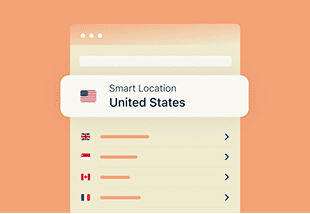
Use Smart Location for fastest speeds
Connect with one click for fastest speeds. ExpressVPN automatically selects the optimal server using Smart Location. It analyzes real-time network conditions to deliver the best performance for your location.
-

Access streaming content while traveling
Connect to a server in your home country to use your existing streaming subscriptions. Whether you're on a business trip or vacation, stay caught up on your favorite shows by connecting where your accounts are registered.
-

Enable WebRTC blocking
Prevent websites from detecting your real IP address through WebRTC leaks. WebRTC can inadvertently reveal your true location, even when using a VPN. Enable this in extension settings to close the gap.
Why ExpressVPN is a top choice for Microsoft Edge
Fast, secure browsing with the best VPN for Microsoft Edge

Avoid ISP monitoring and throttling
When you use ExpressVPN’s browser extension on Microsoft Edge, your traffic is encrypted, keeping your internet provider from seeing what you do online or applying content-based throttling on your connections.
With obfuscated servers that disguise VPN traffic as regular web traffic, ExpressVPN helps you avoid detection and maintain fast, reliable performance whether you're gaming, streaming, or browsing.

Access your streaming accounts reliably
Microsoft built-in Edge VPN doesn’t offer location control, which can limit access to your accounts when traveling.
ExpressVPN's Edge extension connects you to 10Gbps servers across 105+ countries, delivering the speed and reliability you need to access your accounts at home, on holiday abroad, or while working remotely.
Maintain your privacy with advanced features
Go beyond a simple IP address change. ExpressVPN’s browser extension forces sites to use HTTPS whenever possible, automatically upgrading to a more secure, encrypted connection.
Block WebRTC prevents your IP address from leaking, while HTML5 location spoofs your browser location to match your connected VPN server. These features help protect your identity and activity from common tracking methods.
Built for ease of use
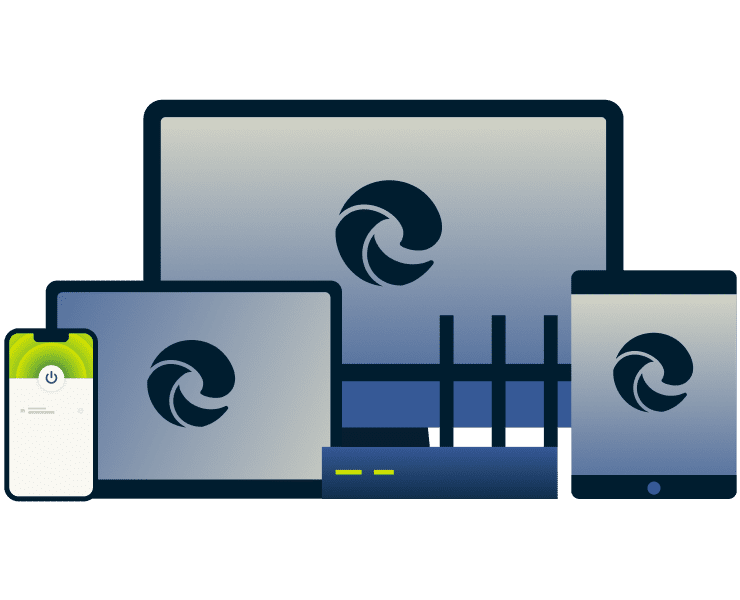
ExpressVPN’s Edge VPN extension is built for simplicity and is available in 17 languages. Acting as a remote control for the full VPN app, it lets you secure your browser traffic effortlessly—even if you’re new to VPNs.
Turn on protection directly from your Edge window, and connect or switch servers in a few clicks. Our 24/7 live chat support provides fast, human help whenever you need it.

Compatible across devices and platforms
ExpressVPN protects more than your Edge browser. Keep your entire digital life protected across laptops, phones, tablets, and more—supporting Windows, Mac, Linux, iOS, Android, and other platforms, for consistent security across all your devices.
With up to 14 simultaneous connections on just one subscription, you can browse, stream, and work securely without having to manage multiple accounts.
Premium features built into the Edge extension
Speed, security, and privacy—all included with the best VPN for Edge
-

Fast and secure Lightway protocol inside the browser
Our custom-built Lightway protocol delivers stable connections, low latency, and strong encryption when you connect to Edge. You’ll experience fast browsing, high-definition streaming, and secure work sessions without compromising speed.
-

Split tunneling and leak protection—all within Edge
Split tunneling lets you control which sites use the VPN while keeping others on your regular network. Built-in leak protection prevents IP address or DNS exposure, giving you precise, worry-free privacy inside the browser.
-

RAM-only TrustedServer architecture, no logs, no compromises
ExpressVPN’s entire network of servers run entirely on RAM-only TrustedServer technology , meaning no data is ever written to disk. Combined with our independently audited no-logs policy, this ensures your online activity stays private and fully protected.
Why Edge users choose ExpressVPN over free alternatives
ExpressVPN’s premium protection beats free promises—every time
| ExpressVPN’s Edge browser extension | Most free Edge VPN extensions | |
|---|---|---|
| Installation and performance | Quick and easy with regular extension updates for stable, safe, and private connections | Easy installation but poor performance with frequent connection drops |
| Speed and data | Fast, stable speeds with 10Gbps servers and Lightway protocol; unlimited data | Slow speeds due to overloaded servers; data caps limit your protection |
| Server network | 170+ secure server locations worldwide | Limited or no server choice |
| Compatibility with streaming platforms | Reliable streaming connections for all major platforms | Unlikely to work with any major streaming platforms |
| Privacy protection | Protects your data with TrustedServer Technology and a strict no-logs policy. | Risky privacy claims as many free VPNs sell user data to third parties |
| Simultaneous devices protection | Up to 14—supporting Windows, Mac, Linux, iOS, Android, and more | 1 connection |
| Bonus features | Spoof your location, block WebRTC to prevent leaks, dark mode | None |
User feedback: What real customers say
Here’s what our happy customers say about ExpressVPN
I have ExpressVPN on all my devices - phone, laptop, tablet, AppleTV, etc., and absolutely love it.


* A sample of reviews from our most satisfied customers
Got an account with @expressvpn yesterday. Great decision for traveling out of the country!
@D_Geiger

* A sample of reviews from our most satisfied customers
With its consistent performance and reliable security, ExpressVPN is the best VPN out there.

* We sometimes pay expert sites for customer referrals
Frequently Asked Questions
Everything you need to know about ExpressVPN for Edge
Is the ExpressVPN Microsoft Edge extension safe?
Yes. The ExpressVPN Edge extension uses strong encryption, prevents WebRTC leaks, and integrates with the full VPN app for device-wide protection. Regular independent audits validate our security standards, ensuring your browsing data and online activity remain private and secure.
Does a VPN hide my browser history?
Your browser stores history locally, which a VPN doesn’t change—you can clear it manually. ExpressVPN encrypts your internet traffic, preventing ISPs or Wi‑Fi operators from seeing your sites. Note: searches while logged into accounts (e.g., Google) may still be recorded separately.
How do I use a VPN on Microsoft Edge?
Subscribe to ExpressVPN, download and install the extension, sign in, and connect to a server location. The extension works with the desktop app to secure your entire device while letting you control protection directly from your browser.
Is the Microsoft Edge built-in VPN enough?
No. Edge Secure Network encrypts only browser traffic, offers no location spoofing, and limits users to 1 GB of data per month. ExpressVPN protects your whole device, provides unlimited bandwidth, and gives you access to 105+ server locations worldwide.
Can I install ExpressVPN without the desktop app?
No. The Edge extension works as a remote control and requires the ExpressVPN desktop app on Windows, Mac, or Linux for full functionality and protection. It also offers additional privacy and security features like WebRTC blocking and location spoofing, beyond what any VPN can offer alone.
Add ExpressVPN to Microsoft Edge now
Secure your browsing with the best VPN extension for Edge

Install from the Edge add-ons store and get 30 days risk-free
Installing the ExpressVPN extension from the Edge Add-ons Store takes seconds. All new users get a 30-day risk-free trial with no complicated setups needed.
Upgrade your Edge Browser to premium privacy
Most people settle for basic browsing. ExpressVPN customers get more—unlimited bandwidth, global server network in 105+ countries, and speeds that rival browsing without a VPN.
Install it now and experience the difference.















Video guide: Try dark mode
Choose a color theme that’s easy on your eyes

