
Email Verification Code
Last updated - 03 December, 2025
The Email Verification Code method provides a simple and reliable way for users to complete Two-Factor Authentication (2FA) in LogicMonitor when other authentication methods (such as authenticator apps or SMS) are not configured. When you select this option, LogicMonitor sends an email containing a unique verification code to the email address registered with your account.
Requirements for Logging In Using Two-Factor Authentication with Email Code
To log in using 2FA with an email code, your email address must be added and verified in your LogicMonitor user profile. For more information, see Configuring the LogicMonitor Portal Settings.
Logging In Using Two-Factor Authentication with Email Code
- On the LogicMonitor Login page, enter your credentials.
- Select Get code via email: as the verification method when prompted for 2FA.
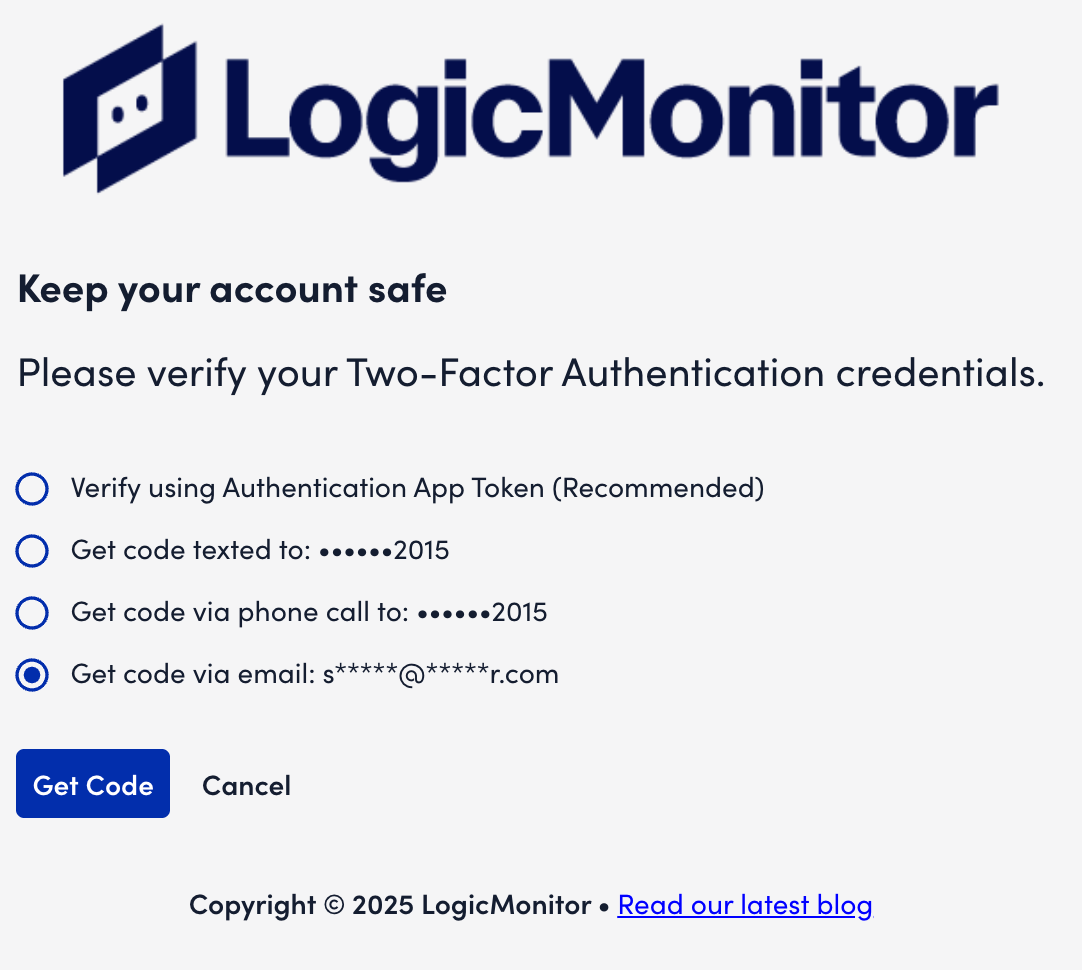
- Select Get Code.
You will receive a seven-digit code at your registered email address.
Note: If you did not receive an email, select Code was not received to get another code.
- Enter the seven-digit verification code and then select Continue.
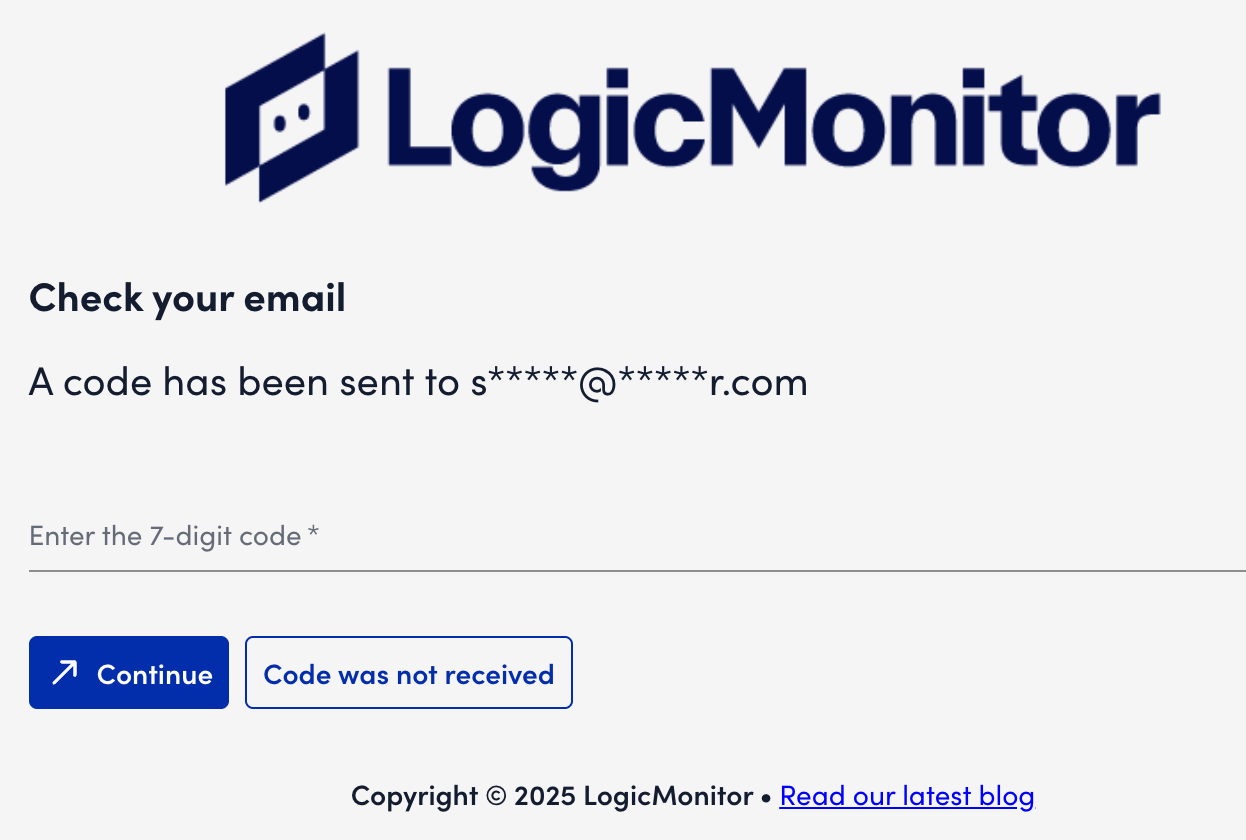
You are authenticated and logged in to your LogicMonitor account.
